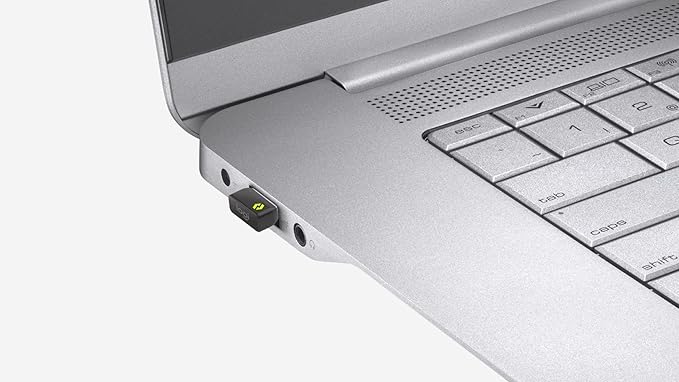
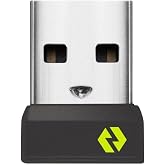
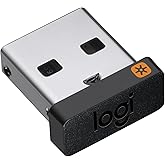
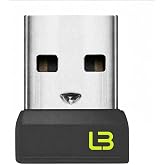
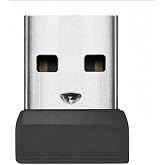
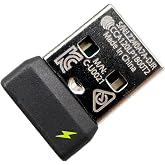
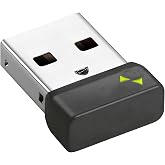
Logitech Bolt USB-C Receiver | Secure wireless connection up to 10 meters (33 feet) range, connects up to 6 compatible wireless devices, plug-and-play
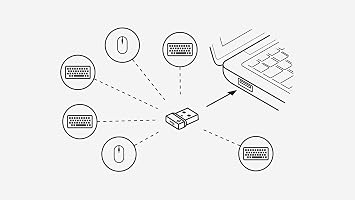
Connect up to 6 Logi Bolt wireless keyboards and mice to one computer with a single Logi Bolt receiver.
Logitech Bolt USB-C Receiver | Secure wireless connection up to 10 meters (33 feet) range, connects up to 6 compatible wireless devices, plug-and-play
商品#: 220463164

Logitech Bolt USB-C Receiver | Secure wireless connection up to 10 meters (33 feet) range, connects up to 6 compatible wireless devices, plug-and-play

商品#: 220463164
在庫切れ
アメリカ USA ストアからの輸入品
最高の物流パートナー
  • fedex
  • dhl
Connect up to 6 Logi Bolt wireless keyboards and mice to one computer with a single Logi Bolt receiver.
U-Care保証:
なし
プランを選択してください
fast shipping

Fast
Shipping

free return

Free
Return*

安全な梱包

安全な梱包

100%正規品

100%正規品

pci-dss

PCI DSS 準拠

iso certified

ISO 27001認証取得


paypal payment
visa payment
mastercard payment
american express payment
jcb payment

この商品の利点

Universal Compatibility
The Logitech Bolt USB-A receiver offers seamless compatibility with a wide range of Logitech devices, ensuring users can connect multiple peripherals effortlessly without the hassle of constant reconfiguration.
Secure Connection
Using advanced encryption technology, the Logitech Bolt ensures a highly secure wireless connection, significantly reducing the risk of interference and unauthorized access, ideal for sensitive work environments.
Long Range
Featuring an extended wireless range, this receiver allows reliable connectivity up to 10 meters, providing users the freedom to work or play remotely without the limitations of traditional wired connections.

製品詳細

Shop Logitech Bolt USB-C Receiver | Secure wireless connection up to 10 meters (33 feet) range, connects up to 6 compatible wireless devices, plug-and-play online at a best price in 日本. B0FCZMRMJ8
Compatible DevicesDesktop, Headphone, Keyboard, Laptop, Mouse
Specific Uses For ProductMulti-Purpose
Connector TypeUSB Type C
Number of Ports1
Power Plug TypeNo Plug
ColorGraphite
Item Dimensions1.08 x 0.65 x 0.36 inches (2.7 x 1.7 x 0.9 cm)
Package Quantity1
Unit Count1 Count
Number of Items1
BrandLogitech
Model Number956-000156
UPC097855203229
Global Trade Identification Number00097855203229
ManufacturerLogitech
Built-In MediaLogi Bolt USB-C Receiver
Mfr Part Number956-000156
Item dimensions L x W x H1.08 x 0.65 x 0.36 inches (2.7 x 1.7 x 0.9 cm)

どんな人にお勧めですか?

Suitable For
  • Office Workers

    Ideal for users with Logitech wireless peripherals, offering a stable link and seamless connectivity in a busy office environment.

  • Frequent Travelers

    Compact and easy to carry, it simplifies connecting devices on the go, especially for business presentations and remote work.

  • Multi-Device Users

    Perfect for users managing multiple Logitech devices, allowing quick switching and improved productivity without tangled cords.

Not Suitable For
  • Budget Shoppers

    Those looking for inexpensive options might find other alternatives that offer basic connectivity without additional features.

製品説明書

Logitech Bolt USB-C Receiver | Secure wireless connection up to 10 meters (33 feet) range, connects up to 6 compatible wireless devices, plug-and-play

何か質問はありますか? チャットでお問い合わせください

お客様の質問と回答

  • 質問: What is the Logitech Bolt USB-C Receiver compatible with?

    回答: The Logitech Bolt USB-C Receiver is compatible with a wide range of Logitech devices that support Logitech's Unifying technology. This includes various models of keyboards and mice. Its USB-C connection allows seamless integration with modern laptops and devices, ensuring that users can easily connect their peripherals without hassle. Ideally, it's perfect for those who regularly switch between devices or need a reliable connection for work or gaming.
  • 質問: How does the Logitech Bolt USB-C Receiver enhance wireless performance?

    回答: The Logitech Bolt USB-C Receiver features advanced wireless technology that significantly reduces lag and interference. By operating on a robust 2.4 GHz frequency, it provides a stable connection, ensuring your devices perform responsively. This is particularly beneficial in high-density environments where multiple wireless devices may cause interruptions, making it ideal for office settings or co-working spaces. Users will notice smoother cursor movements and enhanced responsiveness while using their Logitech devices.
  • 質問: Can I connect multiple devices with the Logitech Bolt USB-C Receiver?

    回答: Yes, the Logitech Bolt USB-C Receiver is capable of connecting multiple Logitech devices. It can manage up to six peripherals, allowing you to switch between devices effortlessly without needing to change receivers. This feature is especially useful for those who utilize different input devices for varying tasks, like switching from a keyboard to a mouse while working on multiple projects simultaneously. Integration is straightforward, streamlining your workspace and reducing clutter.
  • 質問: Is the Logitech Bolt USB-C Receiver plug-and-play?

    回答: Absolutely, the Logitech Bolt USB-C Receiver is designed to be plug-and-play, meaning you can connect it to your device and start using it without additional software installations. This user-friendly feature is perfect for those who appreciate immediate functionality. It makes it an excellent choice for professionals who need to quickly set up their workstations or for casual users who want a hassle-free experience when connecting peripherals.
  • 質問: What range does the Logitech Bolt USB-C Receiver cover?

    回答: The Logitech Bolt USB-C Receiver provides an effective range of up to 10 meters, allowing for flexible workspace arrangements. This means you can use your wireless keyboard and mouse from a comfortable distance without any loss in performance. Such a range is ideal for presentations or collaborative work setups, where distance from the computer might be necessary. Users can enjoy uninterrupted usability throughout their environment.
  • 質問: Does the Logitech Bolt USB-C Receiver support secure connections?

    回答: Yes, the Logitech Bolt USB-C Receiver supports AES 128-bit encryption, ensuring secure connections between your devices. This is especially important in professional environments where data privacy and security are a priority. Whether you’re handling sensitive information or just want peace of mind while using wireless peripherals, this encrypted connection provides an added layer of protection, making it a reliable choice for work or personal use.
  • 質問: Can I use the Logitech Bolt USB-C Receiver with non-Logitech devices?

    回答: The Logitech Bolt USB-C Receiver is specifically designed to work with Logitech peripherals that support the Unifying functionality. While it may not connect with non-Logitech devices, it offers a reliable solution for users who prefer using Logitech components. If you're heavily invested in Logitech's ecosystem, using this receiver maximizes the compatibility and performance of your devices, making it a perfect choice for Logitech enthusiasts.
  • 質問: What are the benefits of using the Logitech Bolt USB-C Receiver for gaming?

    回答: The Logitech Bolt USB-C Receiver is ideal for gaming due to its low latency and high-speed connectivity. This ensures that gaming peripherals respond instantly to your actions, enhancing the overall gaming experience. By using a reliable USB-C connection, gamers can enjoy an uninterrupted environment, great for competitive gameplay or casual sessions. The flexibility to connect multiple devices also allows gamers to switch quickly between different setups without any downtime.
  • 質問: How do I troubleshoot connection issues with the Logitech Bolt USB-C Receiver?

    回答: If you experience connection issues with the Logitech Bolt USB-C Receiver, ensure that the receiver is securely connected to your device and that your Logitech peripherals are powered on. You may also want to reconnect your devices through the Logitech Options software to refresh their connection. If problems persist, relocating the receiver further from potential interference or resetting your devices can resolve connectivity hiccups efficiently.
  • 質問: Where can I buy the Logitech Bolt USB-C Receiver in Japan?

    回答: You can purchase the Logitech Bolt USB-C Receiver from Ubuy, which offers a wide selection of Logitech products. Ubuy provides a user-friendly shopping experience and delivers efficiently within Japan. With numerous options available, you can easily find the Bolt USB-C Receiver and any other Logitech devices you may need, all in one convenient place.

Logitech USB Network Adapters 956-000156 Editorial Review

The Logitech Bolt USB-C Receiver has received a generally positive reception from users, particularly praising its compact design and superior connectivity compared to its predecessor. Users have reported fewer dropouts, higher stability, and lower latency, which contribute to a smoother wireless experience across various devices. The device is especially appreciated for its ability to connect with multiple devices simultaneously, allowing up to six devices compared to the earlier models' maximum of three. This enhanced versatility is seen as a significant advantage for users with multiple peripherals. Additionally, the setup process has been highlighted as intuitive and user-friendly, with many noting that it requires no complex pairing—it’s truly a plug-and-play experience. The sleek design and USB-C compatibility are frequently mentioned as key features that cater to modern laptop users. However, there are a few caveats. While the receiver performs well on both Windows and macOS, Mac users have raised concerns about one aspect: the device seems to create a process that Consumes a Considerable amount of RAM, which might be a drawback for those with limited memory resources. Furthermore, users of the Mac-specific MX Master mouse will find that this receiver is not compatible with their setup. In summary, the Logitech Bolt USB-C Receiver effectively meets the connectivity needs of users looking for a reliable and fast wireless solution, but Mac users should be mindful of potential RAM usage issues. **

お客様のレビュー&評価

1 カスタマー評価
  • 5 星
    100%
  • 4 星
    0%
  • 3 星
    0%
  • 2 星
    0%
  • 1 星
    0%

この商品のレビュー

お考えをお聞かせください

長所

  • Compact and sleek design
  • Improved connectivity with fewer dropouts and lower latency
  • Can connect up to six devices
  • User-friendly plug-and-play setup
  • USB-C compatibility

短所

  • High RAM usage on macOS

プラットフォームの信頼性とお客様の安心

trustpilot logo
4.2/5 9250 + reviews
レビューを読む
MA
Mohammad
Verified buyer

“Excellent quality and original too,when ubuy send original things I will appreciate that ,I very satisfied thank you”

23 July 2026 · via Trustpilot
CK
Chitra
Verified buyer

“The order and delivery progress was communicated very well. Package arrived within the estimated time. Products arrived as expected in good condition.”

22-Jul-26 · via Trustpilot
K
kund
Verified buyer

“Good supply of products. Safe payment methods, and shipment worldwide! Genuine products.”

23-Jul-26 · via Trustpilot
OO
Onesi
Verified buyer

“Was my first time buying a product from Ubuy, but I found it so helpful. This is reliable. Gonna place a new order!”

22 July 2026 · via Trustpilot
SJ
SAO JOHN
Verified buyer

“Ubuy is a great online platform to buy stuff. Reliable, fast delivery time and great value for money. I've been using Ubuy online shopping platform for three years now and will continue to do so.”

23 July 2026 · via Trustpilot
安全な決済 国際配送 簡単返品 正規品保証

重要な情報

  • 注意:国際運送の商品に関して、製造会社保障は無効になる可能性、アフターサービスは受けれない可能性、取説や安全情報は発送先の言語になっていない可能性ある。商品とその付属品は配送先の国の規格、仕様、ラベル表示法などに適応していない可能性があります。また、配送先の国の電力企画に適応しいない(アダプタや変換器を必要とする)可能性があります。ご注文の商品は配送先の国に輸入することは合法なのかを確認するのは購入者の責任になります。Ubuyからご購入の際、受け取り者は正式な輸入者となり、配送先の全ての法律やルールに遵守する必要があります。
  • Ubuyはグローバル検索エンジンのためリストにある全ての商品が購入できないことがあります。商品は輸出規制、貿易規制があります。