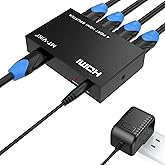
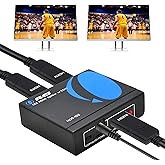
Osee GoStream Deck HDMI Pro Live Streaming Multi Camera Video Mixer Switcher with NDI Updatable
Ultimate and Rich Connection Ports
Osee GoStream Deck HDMI Pro Live Streaming Multi Camera Video Mixer Switcher with NDI Updatable
商品#: 74903899

Osee GoStream Deck HDMI Pro Live Streaming Multi Camera Video Mixer Switcher with NDI Updatable

商品#: 74903899

JPY 47746

Price Details

Excluding Shipping & Custom charges ( Shipping and custom charges will be calculated on checkout )

*All items will import from アメリカ

在庫あり
アメリカ USA ストアからの輸入品
今すぐ注文すると 頃に届きます Sunday, 7月 12
最高の物流パートナー
  • fedex
  • dhl
Ultimate and Rich Connection Ports
U-Care保証:
なし
プランを選択してください
fast shipping

Fast
Shipping

free return

Free
Return*

安全な梱包

安全な梱包

100%本物

100%本物

pci-dss

PCI DSS 準拠

iso certified

ISO 27001 保証


paypal payment
visa payment
mastercard payment
american express payment
jcb payment

この商品の利点

Multi-Camera Switching
Seamlessly switch between multiple HDMI sources for dynamic live streaming, enhancing professionalism and viewer engagement.
NDI Support
Integrates Network Device Interface technology for low-latency video streaming over IP, providing flexibility and scalability in production setups.
Updatable Firmware
Regular firmware updates ensure the device remains cutting-edge, adapting to new features and improvements while maximizing investment value.

製品詳細

Shop Osee GoStream Deck HDMI Pro Live Streaming Multi Camera Video Mixer Switcher with NDI Updatable online at a best price in 日本. B0CBPBJK1V
Item Weight4.17 lbs (1.89 kg)

どんな人にお勧めですか?

Suitable For
  • Professional Streamers

    Ideal for professional streamers seeking high-quality live streaming capabilities with multiple camera inputs and flexibility.

  • Content Creators

    Great for vloggers and content creators who want to produce live broadcasts with seamless camera transitions and effects.

  • Corporate Events

    Perfect for corporate event planners requiring a reliable video mixer for live presentations and multi-camera coverage.

Not Suitable For
  • Casual Users

    Not suitable for casual users who need simple streaming solutions without advanced features like multi-camera mixing.

  • Budget-Conscious Buyers

    May not suit buyers on a tight budget, as it offers professional-grade features that come at a higher price.

  • Beginners in Streaming

    Not recommended for beginners unfamiliar with video mixing and live streaming tools, as it has a steep learning curve.

製品説明書

Osee GoStream Deck HDMI Pro Live Streaming Multi Camera Video Mixer Switcher with NDI Updatable

何か質問はありますか? おしゃべりしましょう

顧客の質問と回答

  • 質問: What is the osee GoStream Deck HDMI Pro Live Streaming Multi Camera Video Mixer Switcher?

    答え: The osee GoStream Deck HDMI Pro is an advanced live streaming video mixer that allows for multi-camera setups, enabling seamless transitions and mixing of camera feeds. It supports high-definition HDMI inputs and incorporates NDI technology for higher versatility and network-based streaming options. This is perfect for professionals in video production or live events who require real-time control over multiple video sources, making it ideal for webinars, live sports events, or streaming music concerts.
  • 質問: How does NDI technology enhance the functionality of the GoStream Deck?

    答え: NDI, or Network Device Interface, allows for high-quality video and audio transmission over existing networks without the need for dedicated hardware. With the GoStream Deck's NDI capabilities, users can connect multiple cameras and devices without the hassle of complex wiring, facilitating easy access to video feeds from various sources. This enables creators to effortlessly switch between different video streams during live broadcasts, making it an ideal tool for content creators aiming for engaging and professional-quality livestreams.
  • 質問: Can I use the osee GoStream Deck with popular streaming platforms?

    答え: Yes, the osee GoStream Deck is compatible with numerous streaming platforms such as YouTube, Twitch, and Facebook Live. Its HDMI and NDI outputs allow for easy integration with streaming software, enabling users to broadcast high-quality video content to their audiences across multiple platforms. This flexibility supports streamers looking to maximize their reach and create rich, interactive experiences during live sessions, appealing to diverse viewer demographics.
  • 質問: What types of input does the osee GoStream Deck support?

    答え: The osee GoStream Deck features multiple HDMI inputs, allowing it to accommodate various camera sources and other video devices simultaneously. This flexibility in input configuration enables users to mix feeds from DSLRs, camcorders, and even mobile devices, making it ideal for events that require dynamic switching between different visual perspectives. For instance, event hosts can alternate between close-up shots of speakers to wide-angle views of the audience seamlessly.
  • 質問: Is the GoStream Deck user-friendly for beginners?

    答え: The osee GoStream Deck is designed to be intuitive, making it accessible even for beginners. Its user-friendly interface and clear layout allow for straightforward operation, facilitating the learning curve for individuals new to live streaming or video production. Beginners can quickly adapt to using the device for events like live Q&As, podcasts, or gaming streams, enabling them to focus more on content creation and less on the technical aspects.
  • 質問: What is the maximum resolution supported by the GoStream Deck?

    答え: The osee GoStream Deck supports high-definition video output, typically up to 1080p, ensuring clear and professional-quality visuals for your live streams. This high resolution is essential for content creators who want to deliver stunning visual experiences to their viewers, enhancing engagement during events such as live shows, product launches, or online tutorials, where visual fidelity plays a crucial role in viewer retention.
  • 質問: How do I update the firmware on my GoStream Deck?

    答え: Updating the firmware on the osee GoStream Deck is a straightforward process. Users can typically find the necessary software updates on the manufacturer's website, which provides detailed instructions on how to download and install the latest firmware. Regular updates ensure that your device continues to perform optimally and remains compatible with the latest streaming technologies, enhancing functionality and user experience during your live broadcasts.
  • 質問: Can I integrate external audio sources with the GoStream Deck?

    答え: Yes, you can integrate external audio sources with the osee GoStream Deck using its audio input options. This allows for high-quality sound to accompany your video streams, whether you are using microphones, mixers, or any other audio equipment. This capability is essential for enhancing productions in events like conferences or music performances, where audio clarity is just as important as video quality for delivering an impactful viewer experience.
  • 質問: What are some practical use cases for the osee GoStream Deck?

    答え: The osee GoStream Deck is versatile for various applications including live event broadcasting, corporate webinars, live gaming streams, and professional video productions. It allows users to manage multiple camera angles, integrate graphics, and enhance viewer engagement through dynamic content delivery. For example, a professional seminar presenter can effectively switch between speaker presentations and live audience interactions seamlessly, enhancing the overall viewer experience.
  • 質問: Where can I buy the osee GoStream Deck HDMI Pro Live Streaming Multi Camera Video Mixer Switcher with NDI Updatable?

    答え: You can purchase the osee GoStream Deck HDMI Pro Live Streaming Multi Camera Video Mixer Switcher with NDI Updatable from Ubuy in Japan. Ubuy is a reliable online marketplace offering a wide range of electronics, including this advanced video mixer, along with convenient shopping features to enhance your buying experience.

osee Selector Switch Boxes Editorial Review

The Osee GoStream Deck HDMI Pro Live Streaming Multi Camera Video Mixer Switcher offers a solution for those who need a versatile and user-friendly switcher for livestreaming and video production. One of the main advantages of this switcher is its ability to provide a high-quality output in Zoom. Users have reported that the image looks fantastic without the need for any adjustments. This is a significant improvement over other switchers, such as the ATEM Mini Pro, which had issues with USB output and image quality. The Osee switcher also offers two HDMI outputs, allowing users to have a multiview and another output simultaneously. Macros can be used to customize the switching between different views, making it convenient for users with multiple cameras and computers. Additionally, the switcher supports onboard recording via SD card and has a secondary USB function for a webcam, providing backup options in case of camera failures. However, it's worth noting that the Osee GoStream Deck is made from cheap, plastic materials and runs very hot, which may be a concern for some users. The on-screen menu, although functional, has some input lag and is less intuitive compared to software-based menus like those offered by Blackmagic. The lack of a companion desktop software is also a drawback, although Osee has stated that they are working on it. Other Cons include the absence of video scalers, meaning inputs must be set to 1080p or 720p, and the lack of audio processing for audio. In conclusion, the Osee GoStream Deck HDMI Pro Live Streaming Multi Camera Video Mixer Switcher offers good value for its price range and provides a reliable solution for livestreaming and video production. Its ability to produce high-quality output in Zoom and its flexible features make it a suitable choice for users in this field. However, improvements could be made in terms of build quality, heat management, menu interface, and the addition of a companion desktop software.

お客様のレビュー&評価

5.0
1 カスタマー評価
  • 5 星
    100%
  • 4 星
    0%
  • 3 星
    0%
  • 2 星
    0%
  • 1 星
    0%

この商品のレビュー

お考えをお聞かせください

長所

  • High-quality output in Zoom
  • Two HDMI outputs and flexible switching options
  • Onboard recording and secondary USB function
  • Easy to use out of the box

短所

  • Cheap plastic build quality

Platform Trust & Buyer Confidence

trustpilot logo
4.3/5 9,000 + reviews
Read reviews
MT
Mohd
Verified buyer

“The product received very good packaging & safe…Thank You”

16 June 2026 · via Trustpilot
SJ
Shawati
Verified buyer

“Accurate delivery timing given”

16 June 2026 · via Trustpilot
YB
Youcef
Verified buyer

“Not madly expensive like I thought, and much quicker than promised.”

15 June 2026 · via Trustpilot
LM
Leila
Verified buyer

“Never dealt with Ubuy before, but everything worked out great. Seamless cross border purchasing and shipping. Thanks!”

6/7/2026 · via Trustpilot
KA
Kwame
Verified buyer

“The process was smooth, with clear communication and timelines. This was my 1st purchase and I am really impressed. I will definitely be coming back.”

12 June 2026 · via Trustpilot
安全な決済 Global Delivery 簡単返品 Genuine Products

Product Price History

重要な情報

  • 注意:国際運送の商品に関して、製造会社保障は無効になる可能性、アフターサービスは受けれない可能性、取説や安全情報は発送先の言語になっていない可能性ある。商品とその付属品は配送先の国の規格、仕様、ラベル表示法などに適応していない可能性があります。また、配送先の国の電力企画に適応しいない(アダプタや変換器を必要とする)可能性があります。ご注文の商品は配送先の国に輸入することは合法なのかを確認するのは購入者の責任になります。Ubuyからご購入の際、受け取り者は正式な輸入者となり、配送先の全ての法律やルールに遵守する必要があります。
  • Ubuyはグローバル検索エンジンのためリストにある全ての商品が購入できないことがあります。商品は輸出規制、貿易規制があります。