0 ratings


商品#:
195320614
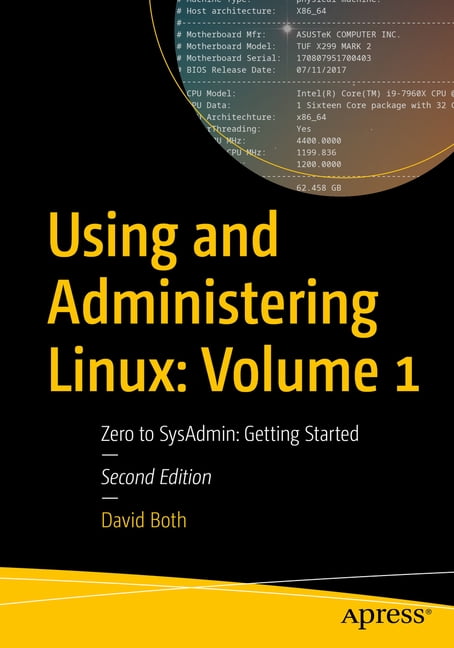
Using and Administering Linux: Volume 1: Zero to Sysadmin: Getting Started, (Paperback)
商品#:
195320614
JPY 13071
価格の詳細
配送料と関税を除く ( 配送料と関税は購入手続き時に計算されます )
*すべての商品はアメリカから輸入されます
0 ratings
レビューを書く
在庫あり
 USA ストアからの輸入品
数量:
在庫は残り12点のみです。
今すぐ注文すると 頃に届きます 土曜日, 10月 17
安全な取引
Ubuyはお客様のセキュリティとプライバシーの保護に努めています。当社の高度な決済セキュリティシステムは、AES(高度暗号化標準)およびSSL(セキュアソケットレイヤー)プロトコルを使用して送信中の情報を暗号化することで機密性を確保しています。お客様の決済情報は第三者の販売者と共有されることはなく、100%安全に保護されています。
最高の物流パートナー


Fast
Shipping

Free
Return*

安全な梱包

100%正規品

PCI DSS 準拠

ISO 27001認証取得





製品詳細
- Learn to be a Linux sysadmin and an expert user of the Linux operating system, even with no previous Linux experience. This second edition of the popular and highly rated Linux self-study training course has been fully updated to Fedora Linux 37 with expanded and revised content and figures as well new chapters on the BTRFS file system, using Zram for swap, NetworkManager, automation with Ansible, and systemd.Like the previous version, this edition has been reviewed for technical accuracy by a highly respected Linux expert and will prepare you to manage complex systems with ease and equip you for a new career. It has also been reviewed by a student who took this course to ensure its readability and flow for those with little or no previous experience with Linux.In this first volume of the training course series, you will learn about operating systems in general and Linux in particular, and explore the Linux philosophy for SysAdmins in preparation for the rest of the course. This book provides you with the tools necessary for mastering user management; installing, updating, and deleting software; and using command line tools to do performance tuning and basic problem determination.You'll begin by creating a virtual network and installing an instance of Fedora - a popular and powerful Linux distribution - on a VirtualBox VM that can be used for all of the experiments on an existing Windows or Linux computer. You'll then move on to the basics of using the Xfce GUI desktop and the many tools Linux provides for working on the command line including virtual consoles, various terminal emulators, Bash, and other shells.Explore data streams and the Linux tools used to manipulate them, and learn about the Vim text editor, which is indispensable to advanced Linux users and system administrators and be introduced to some other text editors. You'll also see how to install software updates and new software, learn additional terminal emulators, and some advanced shell skills. Examine the sequence of events that take place as the computer boots and Linux starts up, configure your shell to personalize it in ways that can seriously enhance your command line efficiency, and delve into files and filesystems.What You Will LearnInstall Fedora Linux and basic configuration of the Xfce desktopAccess the root user ID, and the care that must be taken when working as rootUse Bash and other shells in the Linux virtual consoles and terminal emulatorsCreate and modify system configuration files with Use the Vim text editorExplore administrative tools available to root that enable you to manage users, filesystems, processes, and basic network communicationsConfigure the boot and startup sequencesWho This Book Is For Anyone who wants to learn Linux as an advanced user and system administrator at the command line while using the GUI desktop to leverage productivity.
| Book format | Paperback |
| Fiction/nonfiction | Non-Fiction |
| Genre | Computing & Internet |
| Publication date | September, 2023 |
| Pages | 644 |
| Reading level | Professional & Vocational |
| Subgenre | Programming |
| Series title | No Series |
| Number in series | 1 |
| Edition | 2nd Edition |
| Publisher | Apress |
| Original languages | English |
| Language | English |
| Edu focus | Technology |
| Educational level | General |
| Is collectible | N |
| Recording time | 0 min |
| Retail packaging | Single Piece |
| Assembled product dimensions (l x w x h) | 7.00 x 1.37 x 10.00 in (17.8 x 3.5 x 25.4 cm) |
| Assembled product weight | 2.57 lb (1.17 kg) |
| Bisac subject heading | Computers |
製品説明書
Using and Administering Linux: Volume 1: Zero to Sysadmin: Getting Started, (Paperback)
何か質問はありますか? チャットでお問い合わせください
お客様の質問と回答
-
質問:
Ubuy から Using and Administering Linux: Volume 1: Zero to をオンラインで購入するにはどうすればよいですか?
回答: Ubuy から Using and Administering Linux: Volume 1: Zero to をオンラインで購入するのは簡単です。. 商品を検索し、チェックアウト時に配送方法を選択して、あなたの場所に届けてもらうだけです。 -
質問:
Using and Administering Linux: Volume 1: Zero to は Japan でオンライン ショッピングできますか?
回答: はい、Ubuy Japan では、この製品を手頃な価格で購入できます。. Using and Administering Linux: Volume 1: Zero to は地元では利用できませんが、速達サービスをご利用いただけますのでご安心ください。 -
質問:
注文してから商品が届くまでどれくらいかかりますか?
回答: ご注文の商品の納期は、ご注文内容と選択した配送方法によって異なります。. 配送予定日はご購入手続きの際に表示されますので、ご安心してお買い物ください。
David Both All Books Editorial Review
エディターレビューはまだありません
お客様のレビュー&評価
1 カスタマー評価
-
5 星
0%
-
4 星
100%
-
3 星
0%
-
2 星
0%
-
1 星
0%
この商品のレビュー
お考えをお聞かせください
価格推移
重要な情報
- 注意:国際運送の商品に関して、製造会社保障は無効になる可能性、アフターサービスは受けれない可能性、取説や安全情報は発送先の言語になっていない可能性ある。商品とその付属品は配送先の国の規格、仕様、ラベル表示法などに適応していない可能性があります。また、配送先の国の電力企画に適応しいない(アダプタや変換器を必要とする)可能性があります。ご注文の商品は配送先の国に輸入することは合法なのかを確認するのは購入者の責任になります。Ubuyからご購入の際、受け取り者は正式な輸入者となり、配送先の全ての法律やルールに遵守する必要があります。
- Ubuyはグローバル検索エンジンのためリストにある全ての商品が購入できないことがあります。商品は輸出規制、貿易規制があります。
JPY 13071
今すぐ注文すると 頃に届きます 土曜日, 10月 17
This item is not restrict in my country.(Please click on above link if this item is not restrict in your country, So our team will review and allow.)
数量:
在庫は残り12点のみです。
安全な取引
PCI DSS準拠・ISO 27001:2022認証取得。すべてのご注文に暗号化決済と充実したバイヤープロテクションが適用されます。
最高の物流パートナー
最速の国際配送
Ubuyの安心保証
100%正規品、PCI DSS準拠の決済セキュリティ、ISO 27001認証のデータ保護、最速の国際配送、無料返品※、安全な梱包をすべてのご注文でお届けします。