0 ratings




商品#:
85428354
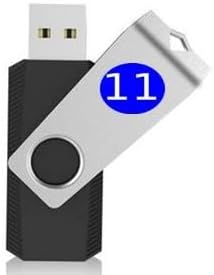
Win 11 bootable USB for Repair | Recovery | Re-Installation | fix Boot Errors - fix Update Errors - Works with Most All Computers If the PC Supports
商品#:
85428354
JPY 4433
Price Details
Excluding Shipping & Custom charges ( Shipping and custom charges will be calculated on checkout )
*All items will import from アメリカ
0 ratings
レビューを書く
在庫あり
 USA ストアからの輸入品
QTY:
1 アイテムのみ在庫が残っています。
今すぐ注文すると 頃に届きます 水曜日, 6月 24
Secured transaction
Ubuy works hard to protect your security and privacy. Our advanced payment security system ensures confidentiality by encrypting your information during transmission using AES (Advanced Encryption Standards) and SSL (Secure Socket Layer) protocols. Your payment details are 100% secure as we do not share your payment details with third party sellers.
最高の物流パートナー


Windows 11 Install, Repair, Recover, or Restore: This 16Gb bootable USB flash drive tool can also factory reset or clean install to fix your PC.

Fast
Shipping

Free
Return*

Secure Packaging

100%本物

PCI DSS 準拠

ISO 27001 保証


この商品の利点
Versatile Compatibility
Designed for most computers supporting UEFI boot mode, ensuring seamless installation or repair of Windows 11 across diverse hardware setups.
Multifunctional Utility
Not just for installation, this USB also facilitates system repair and recovery, effectively addressing boot and update errors to enhance overall performance.
User-Friendly Process
Simple and straightforward creation of a bootable USB empowers users to manage Windows installations at their convenience, reducing reliance on professional help.
製品詳細
- Insert this USB. Boot the PC. Then set the USB drive to boot first and repair or reinstall Windows 11
- Win 11 USB Install Recover Repair Restore Boot USB Flash Drive, with Antivirus Protection & Drivers Software, Fix PC, Laptop, PC, and Desktop Computer, 16 GB USB
- Win 11 Install, Repair, Recover, or Restore: This 16Gb bootable USB flash drive tool can also factory reset or clean install to fix your PC.
- Works with most all computers If the PC supports UEFI boot mode or already running Win 11 & mfg. after 2017
- Does Not Include A KEY CODE, LICENSE OR A COA. Use your Windows KEY to preform the REINSTALLATION option
| Memory Storage Capacity | 16 GB |
| Hardware Interface | USB |
| Additional Features | Compact, Lightweight |
| Connectivity Technology | USB |
| Flash Memory Type | USB |
| Hardware Connectivity Technology | USB Type A |
| Compatible Devices | Desktop, Laptop |
| Color | Blue or Red |
| Brand | Generic |
| Manufacturer | BuySoftware4Less |
| Model Number | e26f0fc7-de72-4442-9511-eea7284b07d1 |
| Special Feature | Compact, Lightweight |
| Item Weight | 0.2 lbs (90 grams) |
どんな人にお勧めですか?

-
Tech Support Professionals
Ideal for IT support technicians needing a reliable recovery tool for troubleshooting client computers running Windows 11.
-
Home Users
Great for everyday users experiencing boot or update issues on their Windows 11 systems, providing easy recovery options.
-
Frequent Upgraders
Beneficial for users regularly updating or reinstalling Windows, ensuring they have a swift method for recovery.

-
Older Hardware Owners
Not suitable for users with older PCs lacking UEFI boot support, which may encounter compatibility issues.
-
Basic Users
Less recommended for casual users unfamiliar with technical terms and processes needed for bootable USB creation.
-
Non-Windows Users
Not ideal for users operating on systems other than Windows, as it is tailored specifically for Windows 11 environments.
製品説明書
何か質問はありますか? おしゃべりしましょう
顧客の質問と回答
-
質問:
What is a Windows 11 bootable USB used for?
答え: A Windows 11 bootable USB is primarily used for repairing, recovering, and reinstalling the operating system. It provides a portable solution to boot your computer and access recovery tools, making it easy to fix common issues such as boot errors and update failures. For instance, if your PC cannot start up due to corrupted system files, using this USB can help reinstate the system functionality without needing a working Windows installation. -
質問:
How do I create a Windows 11 bootable USB?
答え: Creating a Windows 11 bootable USB can be accomplished using a tool like the Windows Media Creation Tool. Simply download the tool from the official Microsoft website, select 'Create installation media', and follow the prompts to configure the USB drive. This process ensures you have the latest version of Windows 11 suitable for repair or reinstallation, making it a versatile asset for troubleshooting various PC issues. -
質問:
Can I use the bootable USB on multiple devices?
答え: Yes, the Windows 11 bootable USB can be used on multiple compatible devices. As long as the target PC meets the minimum system requirements for Windows 11, you can boot from the USB to repair, recover, or reinstall the OS. This makes it particularly useful for IT professionals or tech-savvy users managing several computers, ensuring consistent operation across different machines. -
質問:
What kind of issues can this bootable USB fix?
答え: This bootable USB addresses a range of issues, including boot errors, update errors, and general operating system failures. For instance, when a computer fails to boot up due to corrupt files or misconfigurations, using this USB can launch recovery options that aid in restoring normal function. It is an essential tool for anyone looking to resolve common Windows problems efficiently. -
質問:
Is technical knowledge required to use the bootable USB?
答え: While some basic technical knowledge can be beneficial, the Windows 11 bootable USB is designed to be user-friendly. Most repair and recovery options are guided by simple on-screen instructions. Even those with limited tech skills can follow prompts to troubleshoot their systems or proceed with installation. This accessibility makes it a great resource for many users facing challenging computer issues. -
質問:
What should I do if my PC won't recognize the USB?
答え: If your PC does not recognize the bootable USB, ensure that your BIOS settings prioritize USB booting over other devices. Additionally, check if the USB is properly formatted and contains the necessary boot files. If issues persist, try using a different USB port or re-creating the bootable USB using a verified tool. This troubleshooting approach typically resolves recognition problems, facilitating your access to recovery tools. -
質問:
What devices is the Windows 11 bootable USB compatible with?
答え: The Windows 11 bootable USB is compatible with most modern computers that meet Windows 11’s system requirements. This includes laptops and desktops from various manufacturers. Whether you're troubleshooting a home PC or a work laptop, this USB serves as a versatile diagnostic and repair solution, ensuring that users have the tools needed for successful OS recovery across different brands. -
質問:
Can the USB help with driver issues?
答え: Yes, the USB can assist with driver-related issues during the Windows installation or repair process. When reinstalling the OS, the setup can often automatically detect and install required drivers, enhancing system compatibility. In situations where specific drivers are missing or malfunctioning, accessing these through the recovery terminal can help overcome hardware recognition problems, improving overall system functionality. -
質問:
Where can I buy a Windows 11 bootable USB in Japan?
答え: You can purchase a Windows 11 bootable USB from Ubuy. They provide a reliable platform to acquire this essential tool for system repair and recovery, ensuring you have access to the installed Windows environment without the hassle of manual setup, making Ubuy a go-to source for improving your PC experience. -
質問:
What if my USB drive gets corrupted?
答え: If your USB drive becomes corrupted, you can easily create a new bootable USB using the Windows Media Creation Tool or similar software. Simply download the appropriate files again on a functional USB drive to restore its functionality. This ensures you have an up-to-date version of Windows 11 ready for any repair or installation tasks, keeping your recovery options always available.
USB Flash Drives e26f0fc7-de72-4442-9511-eea7284b07d1 Editorial Review
編集レビューが見つかりませんでした
お客様のレビュー&評価
29 カスタマー評価
-
5 星
50%
-
4 星
5%
-
3 星
6%
-
2 星
10%
-
1 星
29%
この商品のレビュー
お考えをお聞かせください
長所
- Easy to create bootable USB
- Fixes boot and update errors
- Compatible with most computers
- User-friendly interface
- Reliable recovery tool
短所
- May require some technical knowledge.
Product Price History
重要な情報
- 注意:国際運送の商品に関して、製造会社保障は無効になる可能性、アフターサービスは受けれない可能性、取説や安全情報は発送先の言語になっていない可能性ある。商品とその付属品は配送先の国の規格、仕様、ラベル表示法などに適応していない可能性があります。また、配送先の国の電力企画に適応しいない(アダプタや変換器を必要とする)可能性があります。ご注文の商品は配送先の国に輸入することは合法なのかを確認するのは購入者の責任になります。Ubuyからご購入の際、受け取り者は正式な輸入者となり、配送先の全ての法律やルールに遵守する必要があります。
- Ubuyはグローバル検索エンジンのためリストにある全ての商品が購入できないことがあります。商品は輸出規制、貿易規制があります。
JPY 4433
今すぐ注文すると 頃に届きます 水曜日, 6月 24
This item is not restrict in my country.(Please click on above link if this item is not restrict in your country, So our team will review and allow.)
QTY:
1 アイテムのみ在庫が残っています。
Secured transaction
Ubuy works hard to protect your security and privacy. Our advanced payment security system ensures confidentiality by encrypting your information during transmission using AES (Advanced Encryption Standards) and SSL (Secure Socket Layer) protocols. Your payment details are 100% secure as we do not share your payment details with third party sellers.
最高の物流パートナー
Fastest cross-border delivery
特徴と利点
- 16 GB USB flash drive for Windows 11 installation, repair, recovery, or restoration
- Includes antivirus protection & drivers software
- Works with most computers supporting UEFI boot mode or running Windows 11 after 2017
- Does not include key code, license, or COA
- Use your Windows key for reinstallation
- Available in blue or red color