- ホームページ /
- Software /
- Business & Office /
- Communication /
- Remote Access /
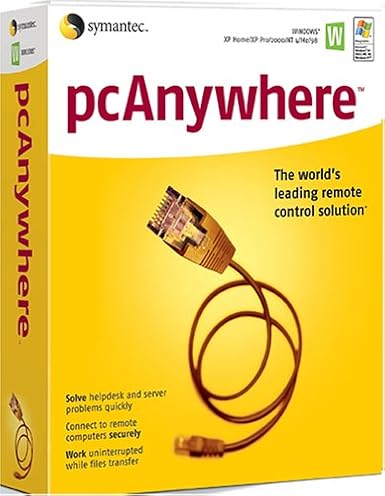
- SYMANTEC pcAnywhere 11.5 Host ( Windows )
0 ratings

商品#:
124881647
SYMANTEC pcAnywhere 11.5 Host ( Windows )
商品#:
124881647
JPY 9643
Price Details
Excluding Shipping & Custom charges ( Shipping and custom charges will be calculated on checkout )
*All items will import from アメリカ
0 ratings
レビューを書く
在庫あり
 USA ストアからの輸入品
QTY:
今すぐ注文すると 頃に届きます 水曜日, 7月 22
安全な取引
Ubuyはお客様のセキュリティとプライバシーの保護に努めています。当社の高度な決済セキュリティシステムは、AES(高度暗号化標準)およびSSL(セキュアソケットレイヤー)プロトコルを使用して送信中の情報を暗号化することで機密性を確保しています。お客様の決済情報は第三者の販売者と共有されることはなく、100%安全に保護されています。
最高の物流パートナー


Manage Windows and Linux systems with ease using SYMANTEC pcAnywhere 11.5, featuring remote management and collaborative tools.

Fast
Shipping

Free
Return*

安全な梱包

100%本物

PCI DSS 準拠

ISO 27001 保証


この商品の利点
Remote Access
Enables seamless remote access to your PC from any location, allowing users to troubleshoot and manage systems effortlessly, reducing downtime and increasing productivity.
Cross-Platform Support
Compatible with various operating systems, ensuring flexibility for users who need to connect from different devices, enhancing accessibility without compromising performance.
Robust Security
Offers encrypted connections and secure authentication methods, safeguarding sensitive information while providing reliable remote support to businesses, thus ensuring peace of mind for users.
製品詳細
| Item Weight | 0.6 lbs (270 grams) |
どんな人にお勧めですか?

-
IT Support Teams
Ideal for IT professionals who need to provide remote assistance and troubleshoot client machines effectively.
-
Remote Workers
Beneficial for employees working from home, allowing secure access to office networks and resources easily.
-
Small Businesses
Great for small companies requiring simple remote access solutions for collaboration without heavy infrastructure investments.

-
Casual Users
Not suitable for individuals looking for basic consumer-level remote access without advanced features or complexities.
-
Large Enterprises
Large organizations might find this software lacking scalability and centralized management features compared to alternatives.
-
Mobile Users
Not optimized for mobile access, making it less effective for users needing remote management on mobile devices.
製品説明書
SYMANTEC pcAnywhere 11.5 Host ( Windows )
何か質問はありますか? おしゃべりしましょう
顧客の質問と回答
-
質問:
What is SYMANTEC pcAnywhere 11.5 Host used for?
答え: SYMANTEC pcAnywhere 11.5 Host is a remote desktop software that allows you to remotely control computers over the internet. This is particularly useful for IT professionals who need to provide support or access systems from different locations. The software supports file transfer, remote desktop access, and multi-user capabilities, making it ideal for troubleshooting, maintenance, and remote work scenarios. -
質問:
Is SYMANTEC pcAnywhere compatible with all Windows versions?
答え: While SYMANTEC pcAnywhere 11.5 Host is designed to work with many Windows versions, specific compatibility may vary. It's primarily compatible with Windows XP, Vista, 7, 8, and some server versions. Before installation, it's advisable to check your system specifications to ensure compatibility, as this ensures seamless operation and troubleshooting without hitches. -
質問:
Can multiple users access SYMANTEC pcAnywhere 11.5 Host at the same time?
答え: Yes, SYMANTEC pcAnywhere 11.5 Host supports multi-user sessions. This means that several users can connect to the host machine simultaneously, allowing for collaboration during technical support scenarios or team meetings. It's particularly effective in business environments where remote collaboration is necessary, as it enables teams to work together seamlessly despite geographical distances. -
質問:
How secure is SYMANTEC pcAnywhere 11.5 Host for remote sessions?
答え: SYMANTEC pcAnywhere 11.5 Host incorporates advanced security features, including 256-bit encryption, to ensure secure remote connections. This level of security is essential for protecting sensitive data during remote access. Utilizing these features minimizes the risk of unauthorized access, making it a preferred choice for businesses that handle confidential information. -
質問:
What types of file transfer capabilities does SYMANTEC pcAnywhere 11.5 Host offer?
答え: SYMANTEC pcAnywhere 11.5 Host includes robust file transfer features that allow users to easily send and receive files between connected systems. This functionality is invaluable for IT professionals who need to deploy updates or patches remotely, and for users who require access to files stored on different machines, thus streamlining workflow and enhancing productivity. -
質問:
Does SYMANTEC pcAnywhere support mobile devices?
答え: SYMANTEC pcAnywhere 11.5 Host does not natively support mobile devices; it is primarily for desktop and laptop environments. However, with remote desktop apps available for smartphones and tablets, you can connect to pcAnywhere sessions indirectly. This expansion encompasses various use cases, such as troubleshooting or accessing files on the go, thereby increasing flexibility and responsiveness. -
質問:
What are the key features of SYMANTEC pcAnywhere 11.5 Host?
答え: Key features of SYMANTEC pcAnywhere 11.5 Host include remote access, file transfer, multi-user support, and advanced security options. These functionalities make it suitable for diverse scenarios such as technical support, team collaboration, and remote work environments. Users appreciate its versatility and reliability, ensuring efficient connectivity and management across multiple devices. -
質問:
How do I install SYMANTEC pcAnywhere 11.5 Host?
答え: To install SYMANTEC pcAnywhere 11.5 Host, download the software from a trusted source, run the installer, and follow the on-screen instructions. After installation, you must configure the host settings according to your network preferences. This setup allows for customized access control, enhancing usability and ensuring the software fits your specific remote access needs. -
質問:
Can I customize the settings of SYMANTEC pcAnywhere 11.5 Host?
答え: Yes, SYMANTEC pcAnywhere 11.5 Host offers various customizable settings to tailor the software to your needs. Users can adjust preferences for connection security, user permissions, and interface display options. Such customization helps optimize performance for specific tasks like remote troubleshooting or collaborative work without compromising the software's functionality. -
質問:
Where can I buy SYMANTEC pcAnywhere 11.5 Host (Windows) in Japan?
答え: You can purchase SYMANTEC pcAnywhere 11.5 Host (Windows) from Ubuy in Japan. Ubuy offers a reliable platform to acquire this software, ensuring you have access to the latest features and support. It’s recommended to check the website for availability and to explore various options that meet your specific requirements.
Symantec Remote Access Editorial Review
編集レビューが見つかりませんでした
お客様のレビュー&評価
1 カスタマー評価
-
5 星
100%
-
4 星
0%
-
3 星
0%
-
2 星
0%
-
1 星
0%
この商品のレビュー
お考えをお聞かせください
Platform Trust & Buyer Confidence

MT
Mohd
Verified buyer
“The product received very good packaging & safe…Thank You”
16 June 2026 · via Trustpilot
SJ
Shawati
Verified buyer
“Accurate delivery timing given”
16 June 2026 · via Trustpilot
YB
Youcef
Verified buyer
“Not madly expensive like I thought, and much quicker than promised.”
15 June 2026 · via Trustpilot
LM
Leila
Verified buyer
“Never dealt with Ubuy before, but everything worked out great. Seamless cross border purchasing and shipping. Thanks!”
6/7/2026 · via Trustpilot
KA
Kwame
Verified buyer
“The process was smooth, with clear communication and timelines. This was my 1st purchase and I am really impressed. I will definitely be coming back.”
12 June 2026 · via Trustpilot
安全な決済
Global Delivery
簡単返品
Genuine Products
Product Price History
重要な情報
- 注意:国際運送の商品に関して、製造会社保障は無効になる可能性、アフターサービスは受けれない可能性、取説や安全情報は発送先の言語になっていない可能性ある。商品とその付属品は配送先の国の規格、仕様、ラベル表示法などに適応していない可能性があります。また、配送先の国の電力企画に適応しいない(アダプタや変換器を必要とする)可能性があります。ご注文の商品は配送先の国に輸入することは合法なのかを確認するのは購入者の責任になります。Ubuyからご購入の際、受け取り者は正式な輸入者となり、配送先の全ての法律やルールに遵守する必要があります。
- Ubuyはグローバル検索エンジンのためリストにある全ての商品が購入できないことがあります。商品は輸出規制、貿易規制があります。
JPY 9643
今すぐ注文すると 頃に届きます 水曜日, 7月 22
This item is not restrict in my country.(Please click on above link if this item is not restrict in your country, So our team will review and allow.)
QTY:
安全な取引
PCI DSS compliant and ISO 27001:2022 certified, with encrypted payments and full buyer protection on every order.
最高の物流パートナー
最速の国際配送
特徴と利点
- Manage both Windows and Linux systems remotely.
- Access system utilities directly for efficient troubleshooting.
- Run simple batch transfers with pcAnywhere Command Queue.
- Streamline collaboration with concurrent remote connections.
- Easily control hosts with options to restart, shut down, or lock.
- View applications, event logs, and even edit system files remotely.
Ubuy Assurance
Experience worry-free shopping with 100% original products, PCI DSS-compliant payment security, ISO 27001-certified data protection, the fastest cross-border delivery, free returns *, and secure packaging on every order.