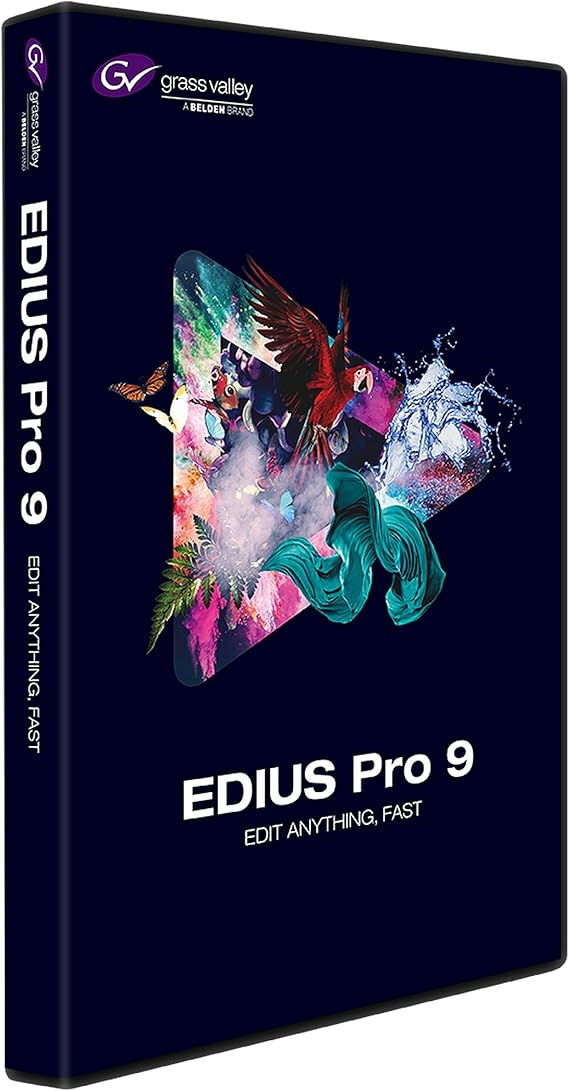
Grass Valley EDIUS Pro 9 Video Editing Software, Academic, Box
JPY 76641
Price Details
Excluding Shipping & Custom charges ( Shipping and custom charges will be calculated on checkout )
*All items will import from アメリカ
Ubuyはお客様のセキュリティとプライバシーの保護に努めています。当社の高度な決済セキュリティシステムは、AES(高度暗号化標準)およびSSL(セキュアソケットレイヤー)プロトコルを使用して送信中の情報を暗号化することで機密性を確保しています。お客様の決済情報は第三者の販売者と共有されることはなく、100%安全に保護されています。
EDIUS Pro 9 is the most versatile and fastest nonlinear editing software available, allowing you to edit faster and be more creative.
Fast
Shipping
Free
Return*
安全な梱包
100%本物
PCI DSS 準拠
ISO 27001 保証
この商品の利点
製品詳細
- Grass Valley EDIUS Pro 9 video editing software
- Designed for academic use
- Comes in a box packaging
- Offers advanced video editing features
- Compatible with various file formats
- Includes support for multiple cameras and formats
| Item Weight | 1 lbs (450 grams) |
どんな人にお勧めですか?
-
Student Filmmakers
Ideal for film students needing professional software for editing projects, enhancing their learning experience and practical skills.
-
Professional Editors
Perfect for editors seeking robust tools for fast-paced editing environments with advanced capabilities and format support.
-
Educators
Great for teachers incorporating video editing into their curriculum, providing students with industry-standard software for learning.
-
Casual Users
Not suitable for casual users who require simple editing features, as it may be overly complex for basic needs.
-
Mac Users
Not ideal for users on Mac systems, as EDIUS is primarily designed for Windows operating systems.
-
Budget-Conscious Hobbyists
Hobbyists looking for low-cost or free alternatives will find EDIUS Pro's pricing less favorable for their needs.
製品説明書
Grass Valley EDIUS Pro 9 Video Editing Software, Academic, Box
About This Item
Introducing Grass Valley EDIUS Pro 9 Video Editing Software, Academic, Box - the ultimate tool for all your video editing needs. Whether you're a professional editor, a student, or just starting your video editing journey, this software has got you covered. Experience the power of real-time, no-render editing of all popular SD, HD, and even 4K and HDR formats. With EDIUS Pro 9, you can unleash your creativity without any limitations.
Edit multiple formats and frame rates seamlessly on the same timeline, giving you the freedom to edit faster and make more time for your creative ideas. Grass Valley, a trusted name in the industry, brings you this versatile and fast nonlinear editing software. With EDIUS Pro 9, you'll have access to a wide range of creative options to enhance your videos and make them truly stand out. The software is designed to cater to the needs of professionals, beginners, and academic institutions alike. Whether you're editing videos for personal projects, professional campaigns, or academic assignments, Grass Valley EDIUS Pro 9 is the tool you need.
Its user-friendly interface, powerful features, and extensive format support make it the go-to software for all your video editing requirements. Don't settle for anything less when it comes to video editing software. Choose the best - Grass Valley EDIUS Pro 9 Video Editing Software, Academic, Box. Unlock your creative potential and create amazing videos that leave a lasting impression.
Get your hands on this industry-leading software now and step up your video editing game.
顧客の質問と回答
-
質問:
What are the system requirements for Grass Valley EDIUS Pro 9?
答え: Grass Valley EDIUS Pro 9 requires a 64-bit Windows operating system, with at least 4GB of RAM, 2GB of graphics memory, and a dual-core processor. It's advisable to have a powerful system for optimal performance, especially for HD and 4K editing. Users should also consider additional disk space for storage, as video files can be substantial. This software is perfect for users working on intensive video projects, such as documentaries or short films, where high-quality output is essential. -
質問:
Can I use Grass Valley EDIUS Pro 9 on a Mac?
答え: No, Grass Valley EDIUS Pro 9 is designed exclusively for Windows operating systems. Users interested in video editing on Mac should explore alternative software options that support macOS. For professionals who work across different platforms, considering a Windows dual-boot setup or virtualization could allow the use of EDIUS Pro 9 without compromising workflow. This approach is beneficial for users who need to collaborate with others who use EDIUS on PCs. -
質問:
What types of video formats can I edit with EDIUS Pro 9?
答え: EDIUS Pro 9 supports a wide range of video formats, including popular ones like AVCHD, MP4, MOV, and even high-efficiency formats such as HEVC (H.265). This versatility allows users to work with footage from various cameras and devices seamlessly. Whether you're importing traditional video clips or modern formats from drones and smartphones, EDIUS Pro 9 can handle it all, making it ideal for content creators who shoot across multiple platforms. -
質問:
Is Grass Valley EDIUS Pro 9 suitable for beginners?
答え: While EDIUS Pro 9 is a professional-grade software, beginners can still use it effectively, given its intuitive interface and extensive tutorials available online. The software offers a variety of templates and presets that can help novices get started. For educational purposes, students and aspiring filmmakers can greatly benefit from its feature-rich environment as they learn the fundamentals of video editing without being overwhelmed by complexity. -
質問:
Does EDIUS Pro 9 support multi-camera editing?
答え: Yes, EDIUS Pro 9 excels in multi-camera editing, allowing users to synchronize and edit footage from multiple angles seamlessly. This feature is particularly useful for events like weddings, concerts, and sports where capturing all angles is crucial. Users can switch between different camera feeds effortlessly during the editing process, resulting in a polished and professional final product. This functionality enhances storytelling by providing varied perspectives. -
質問:
Does EDIUS Pro 9 offer color correction tools?
答え: Absolutely, Grass Valley EDIUS Pro 9 includes a comprehensive set of color correction tools, enabling users to enhance their footage with precise control over brightness, contrast, saturation, and more. These tools are pivotal for achieving visually stunning results and ensuring that the final edit maintains a consistent look throughout the project. From correcting disappointingly dull clips to creating vibrant visuals for promotional videos, these features serve a broad range of creative needs. -
質問:
Can I integrate EDIUS Pro 9 with other software?
答え: Yes, EDIUS Pro 9 supports integration with various third-party software, enhancing its functionality. For instance, users can export projects to Adobe After Effects for additional effects and compositing or use audio editing software for detailed sound design. This kind of interoperability is invaluable for professional editors looking to streamline their workflow and achieve more sophisticated edits. Such integrations often enhance the production value of video projects. -
質問:
What is the difference between EDIUS Pro 9 and EDIUS X?
答え: While both EDIUS Pro 9 and EDIUS X are professional video editing software, EDIUS X represents a significant upgrade with new features such as enhanced support for 8K editing and advanced audio tools. EDIUS Pro 9 remains a solid choice for users who require a robust editing solution without needing the latest advancements in technology. The differences mainly cater to the evolving needs of video professionals, with EDIUS X targeting those seeking the latest functionalities. -
質問:
Is there a trial version available for EDIUS Pro 9?
答え: Grass Valley offers a trial version of EDIUS Pro 9, providing users the chance to explore its features before committing to a purchase. The trial typically includes most of the same functionalities as the full version, allowing potential buyers to test out the editing capabilities and usability. This is particularly beneficial for educational institutions or users unfamiliar with the software, as it enables informed decision-making in pursuing comprehensive video editing tools. -
質問:
Where can I buy Grass Valley EDIUS Pro 9 Video Editing Software, Academic, Box?
答え: You can purchase Grass Valley EDIUS Pro 9 Video Editing Software, Academic, Box at Ubuy within Japan. Ubuy is a reliable online retailer that provides a convenient shopping experience for various software products, including professional video editing solutions. Their platform ensures you find the right version of EDIUS Pro that meets academic requirements effectively.
Grass Valley Editorial Review
お客様のレビュー&評価
-
5 星
100%
-
4 星
0%
-
3 星
0%
-
2 星
0%
-
1 星
0%
この商品のレビュー
お考えをお聞かせください
長所
- User-friendly interface
- Fast rendering speed
- Excellent formats support
- Real-time editing
- Multi-camera support
短所
- Occasional crashes
Product Price History
重要な情報
- 注意:国際運送の商品に関して、製造会社保障は無効になる可能性、アフターサービスは受けれない可能性、取説や安全情報は発送先の言語になっていない可能性ある。商品とその付属品は配送先の国の規格、仕様、ラベル表示法などに適応していない可能性があります。また、配送先の国の電力企画に適応しいない(アダプタや変換器を必要とする)可能性があります。ご注文の商品は配送先の国に輸入することは合法なのかを確認するのは購入者の責任になります。Ubuyからご購入の際、受け取り者は正式な輸入者となり、配送先の全ての法律やルールに遵守する必要があります。
- Ubuyはグローバル検索エンジンのためリストにある全ての商品が購入できないことがあります。商品は輸出規制、貿易規制があります。
JPY 76641
今すぐ注文すると 頃に届きます 土曜日, 8月 22
This item is not restrict in my country.(Please click on above link if this item is not restrict in your country, So our team will review and allow.)
QTY:
Ubuyはお客様のセキュリティとプライバシーの保護に努めています。当社の高度な決済セキュリティシステムは、AES(高度暗号化標準)およびSSL(セキュアソケットレイヤー)プロトコルを使用して送信中の情報を暗号化することで機密性を確保しています。お客様の決済情報は第三者の販売者と共有されることはなく、100%安全に保護されています。




